Flexible Bendcast: An Interaction Technique for Selection in Augmented and Virtual Reality
CS 5678: 3D User Interfaces - Spring 2024 - XR Collaboratory, Cornell Tech
Students: David Lou, Matthew Donnelly
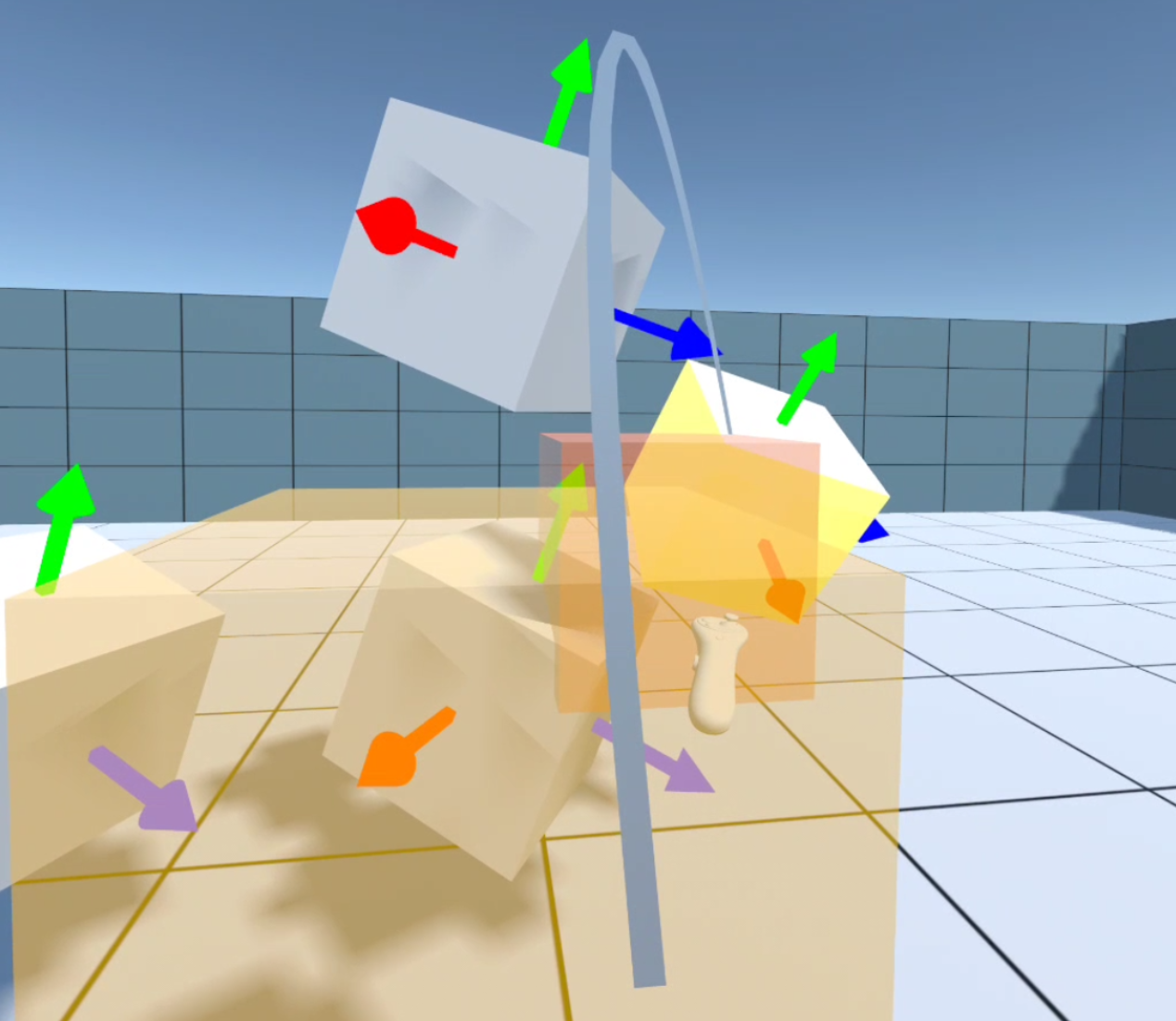
Overview
Flexible Bendcast is an innovative interaction model designed to enhance user control over a dynamic curve through direct hand or controller inputs. It allows users to intuitively manipulate the curve by adjusting the position and orientation of two endpoints. This functionality is particularly effective for selecting partially obscured objects, as the curve automatically bends towards the nearest target when approaching potential selections. To improve visibility and ease the selection process, the model includes a visual effect that renders occluders along the curve's path transparent.
Components
Flexible Bendcast
Logic component for the Flexible Bendcast calculates the start, control, and end points of the Bézier curve. The logic component also computes the closest target for the bendcast.
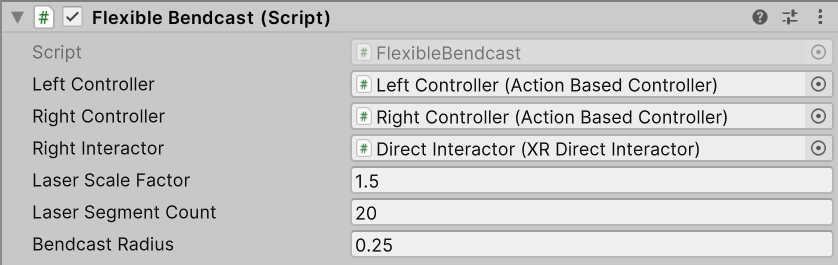
| Property | Description |
|---|---|
| Left Controller | The left controller, serving as the start point of the Bézier curve. |
| Right Controller | The right controller, serving as the end point of the Bézier curve. |
| Right Interactor | The right interactor, serving as the direct interactor for the pointer. |
| Laser Scale Factor | The scale factor of the laser, determining the length of the Bézier curve. |
| Laser Segment Count | The number of segments used to render the Bézier curve. |
| Bendcast Radius | The radius of the sphere used to detect targets for Bendcast. |
Flexible Bendcast Input
Flexible pointer input component for the Flexible Bendcast. The input from the joystick will be passed to the Flexible Bendcast and be used to control the curvature of the Bézier curve.

| Property | Description |
|---|---|
| Curvature Control Point | The value input from the joystick will be passed to the Flexible Bendcast and be used to control the curvature of the Bézier curve. |
Flexible Bendcast Feedback
Feedback component for the advanced flexible pointer. Visualize the control points of the Bézier curve and also provide semi-transparent effect for occluders in the path.
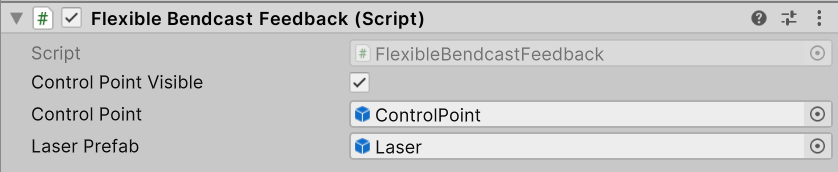
| Property | Description |
|---|---|
| Control Point Visible | The bool value determines whether the control point for the Bézier curve is visible. |
| Control Point | The prefab for the control point of the Bézier curve. Used to visualize the control point of the Bézier curve. |
| Laser Prefab | The prefab of the laser of the Flexible Bendcast. |
Installation instructions
To install this package, follow these steps:
- In the Unity Editor, click on Window > Package Manager
- Click the + button and choose Add package from git URL option
- Paste the URL to the package repository: https://github.com/cs5678-2024sp/p-project-g-01.git in the prompt and click on Add ( make sure your URL ends with ".git")
- If the repository is private, you will be asked to authenticate via your GitHub account. If you haven't been granted access to the repository you will not be able to install the package.
- The package should be installed into your project
- You can download the package samples from under the Samples tab in the Package Manager
Note: Even though the package documentation is public, several XRC packages are private and accessible only to XRC staff and students.
Requirements
This package was developed and tested using the following Unity Editor version:
- 2022.3.7f1 LTS
Dependencies:
- XRC Core
- XR Interaction Toolkit
- Input System
Workflow
See the below a screenshot for a scene hierarchy and the inspector for a game object containing all three package components.
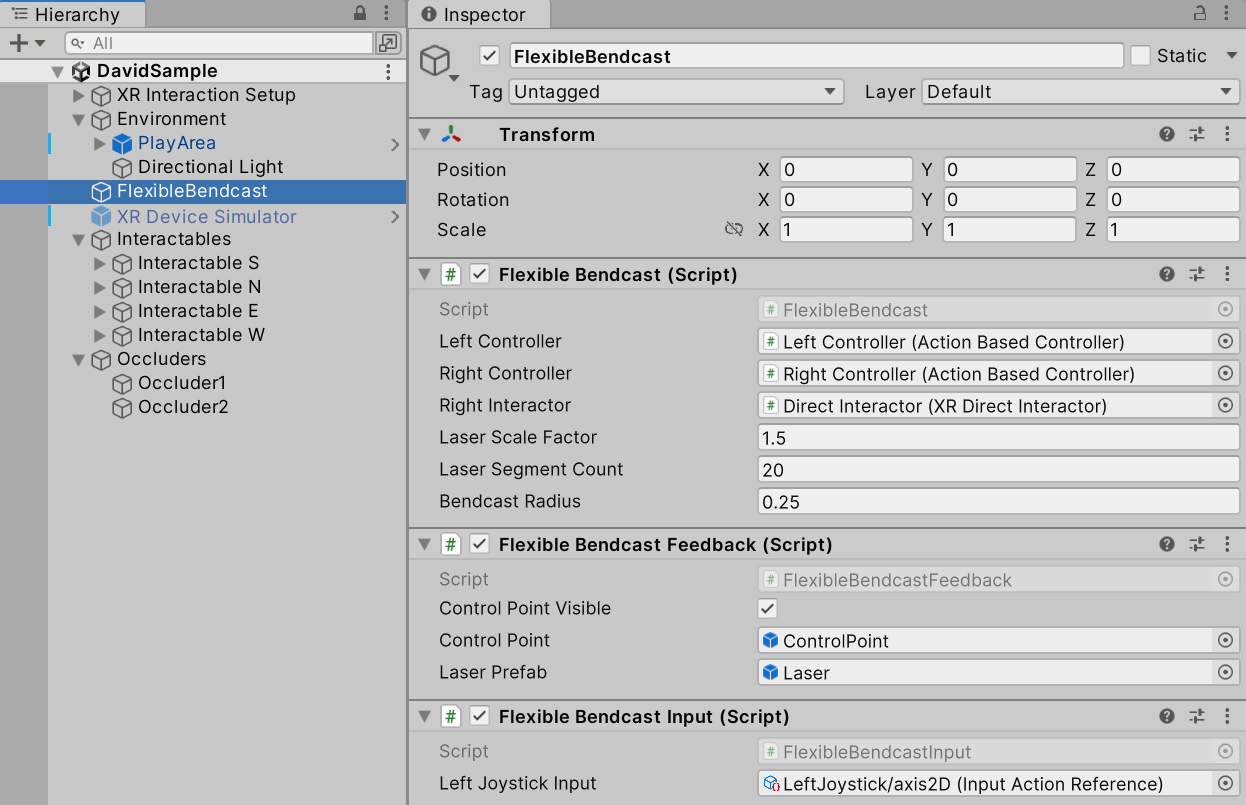
Samples
g-01-samples
The includes a sample showcasing the Flexible Bendcast implementation in a Unity scene.